
Music School Website
UX Design
2016
user research / illustrator / indesign
Problem Statement
The school music programme needs a way to communicate the music events and offerings to the parents are students.
As the music programme has expanded in the past years, the website has not reflected this. The parents don’t have an effective resource at the moment to gather information and contact the music teachers. This needs to be remedied if this programme is going to continue thriving.
My Role
This is the project that I focused on when participating in the UX Springboard course. All of the research and design was done by me.
Research
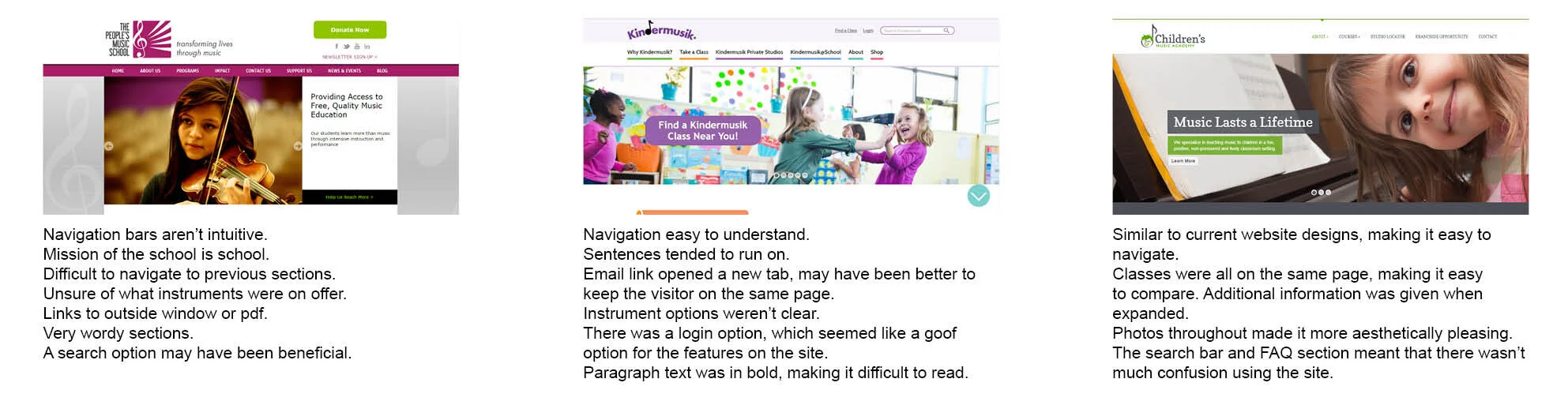
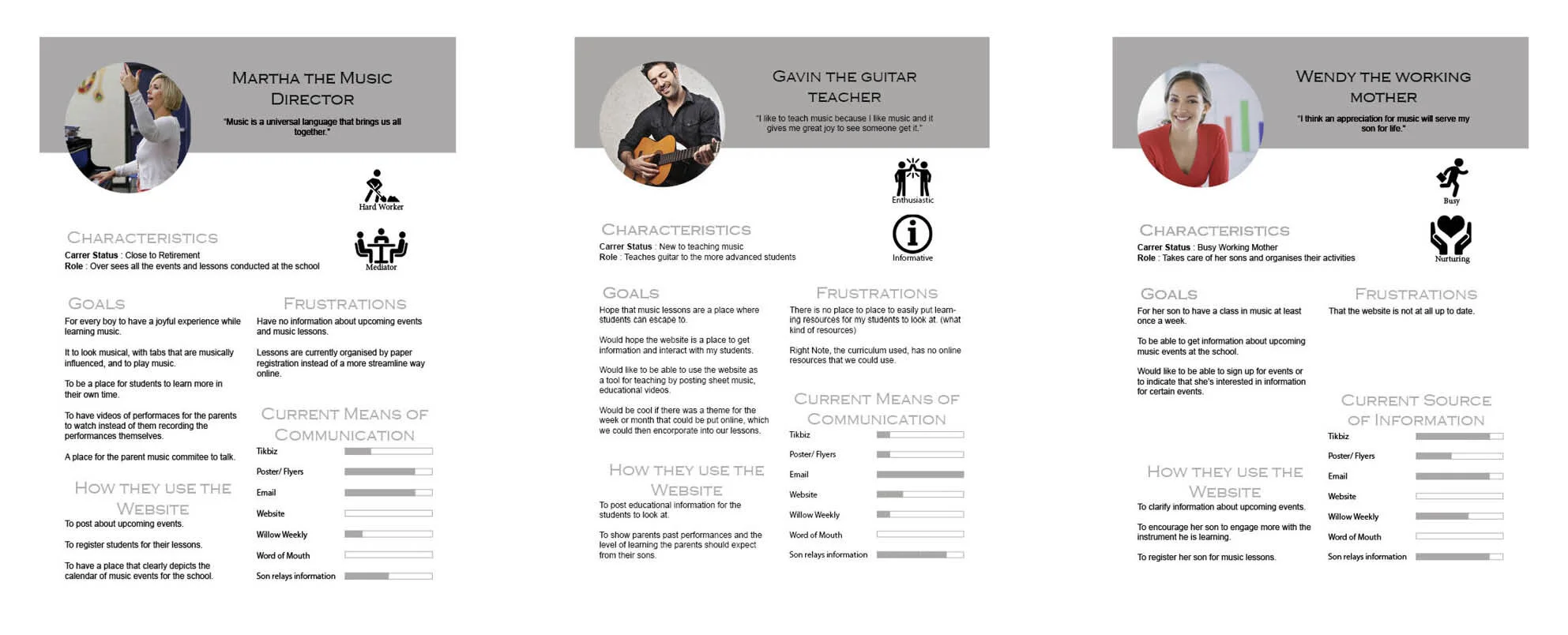
Initial research was done into the current and competitor websites. Interviews and surveys were conducted with the music director, teachers and parents. The findings from this was analysed and created the personas and user stories.
Current Website

Competitive Analysis
Interview Insights
Interviews were conducted with the head of the music department, a music teacher and a parent of a student.
It seemed to be more important that the website was a reference point rather than a means of communication.
Parents used one means for communicating with the teachers, whereas the teachers used a different means.
Teachers would like a section of the website where they could post educational videos and music.
Personas
User Stories
As a parent I want to... be able to buy tickets online so I can... get tickets for my friends and family in advance.
As a parent I want to... know what instruments are on offer at the school so I can... decide which instrument my son is going to learn to play.
As a parent I want to... look at past performances so I can... see my son in the performance that I missed.
As a teacher I want to... put up my own videos of me playing the songs so I can... have my students play along while their practising.
Ideation & Prototyping
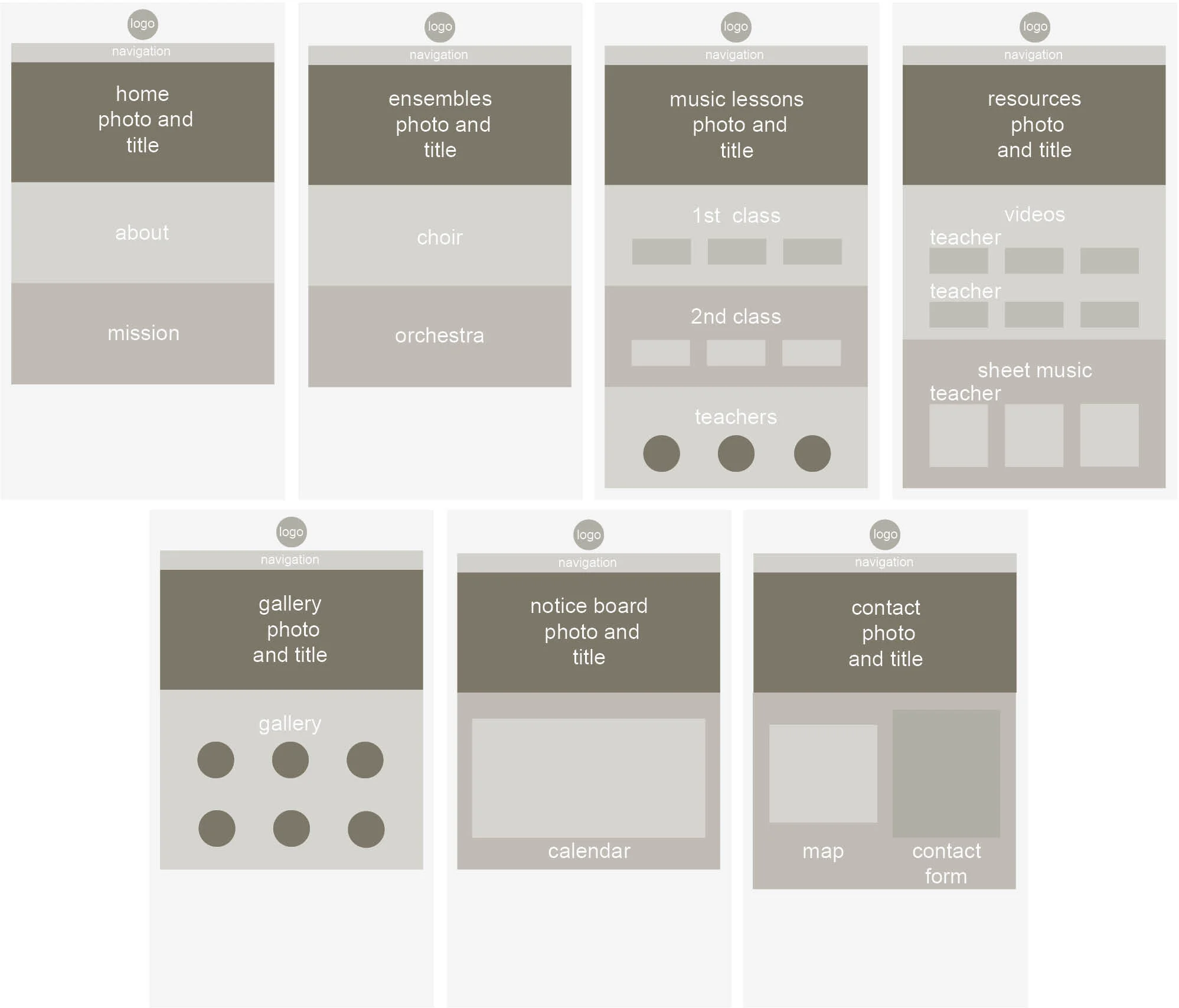
After the research stage ideation and prototyping was conducted in sitemaps and wireframes.
Sitemap

Wireframes
Visual Design
Testing
Using the tool inVision, a mock up of the website was made. Potential users were then observed while being asked to perform certain tasks. The research evaluation below show the results. Any issues that were raised were revised before the final design
Research Evaluation
Task One
Sign up a student for music lessons.
User first looked around the site. Went to the correct section and understood what option they should chose to complete the task. The form may need more options to be completed.
Task Two
Look at educational videos and download music.
User went straight to the resource section. They didn't see the download button initially, so a redesign may be necessary here.
Task Three
Find pictures from past performances and get information about the upcoming concert.
User finds the gallery easily. Better categorisation may be needed here for when there will be more event postings. Finds information from the notice board very quickly
Task Four
Find information about the music programme and contact email.
User looks at the homepage to get information, not in the ensembles section. Looks in the teacher bio section for contact information instead of the contact tab.
Final Design
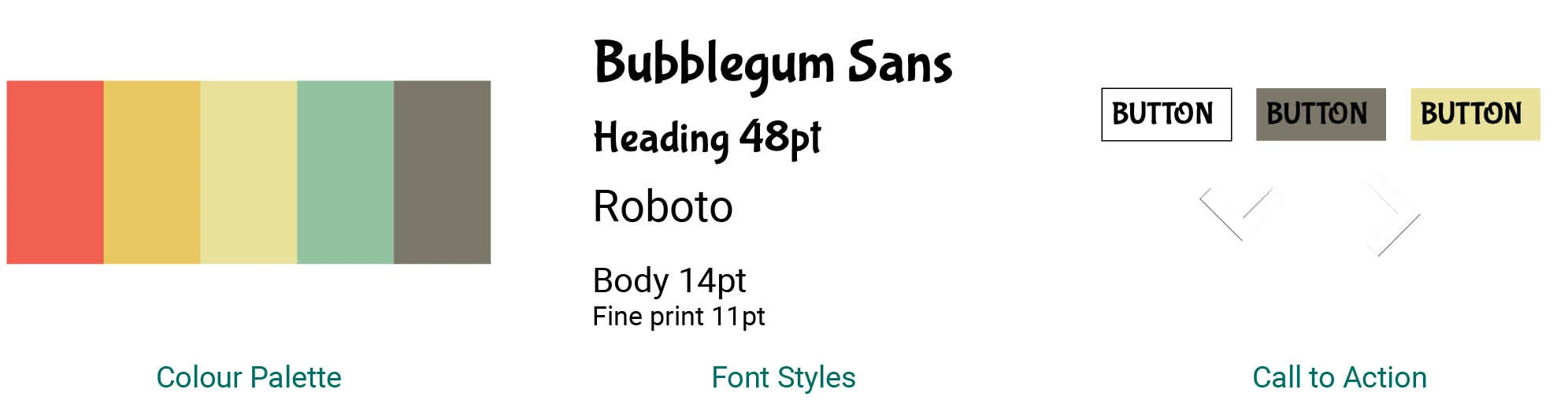
The final design for the music school hopes to reflect the playful, colourful feeling of the programme. It is designed so that is can expand as the school grows.
